About Arduino Bluetooth Kit
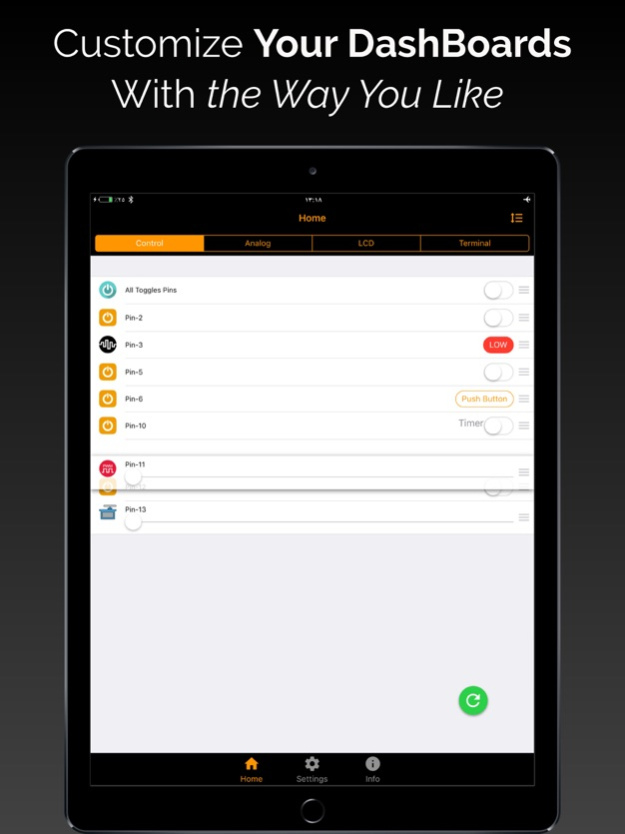
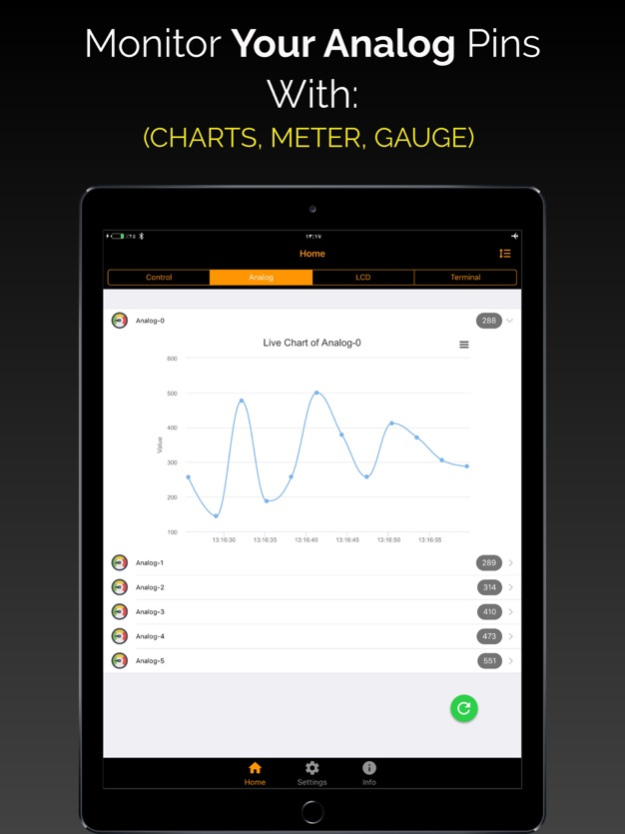
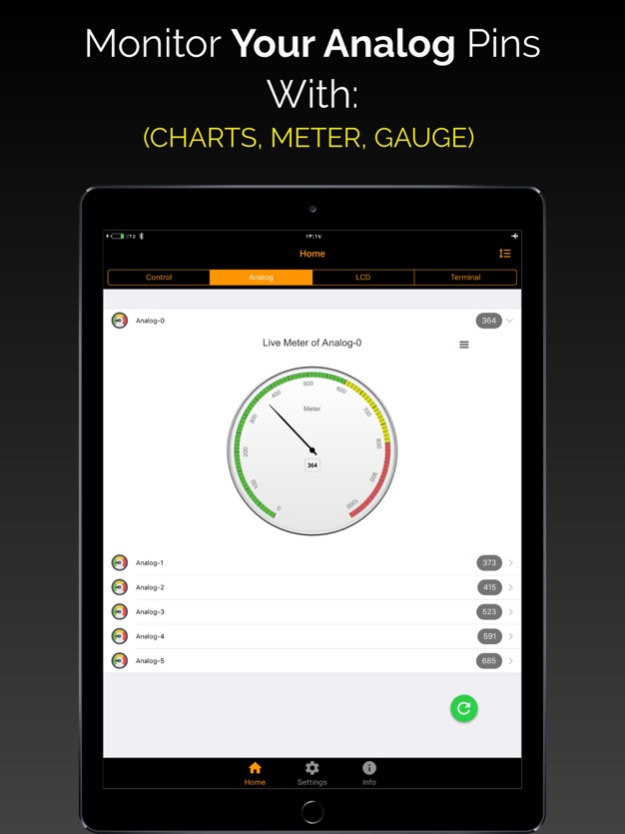
Features: - Read & write digital pins. - Read & write PWM pins. - Read analog pins. - Remember last status of the pins. - Monitor Analog via Charts, Gauge or Meter - Change the mode of the pin (Output, PWM, SERVO or...
Features: - Read & write digital pins. - Read & write PWM pins. - Read analog pins. - Remember last status of the pins. - Monitor Analog via Charts, Gauge or Meter - Change the mode of the pin (Output, PWM, SERVO or Input). - Automatic connect to Arduino. - Rename the label of each pin. Applications: - Smart Home. - Automation. - Hoppy projects. - Schools & university projects. - Remote & Robots control. Check this youtube to see in real world: - https://youtu.be/EmQELmq86A4 Requirements: - Any of (UNO, MEGA, Leonardo, Nano, Pro) - Bluetooth BLE module such as( HM-10, TI, CC2541, Bluefruit BLE UART, Bluefruit BLE SPI, Feather 32u4 BLE, Redbear, Seeeduino). - Arduino Sketch(URL provided inside the app). Tested on: - iOS with (HM-10, TI, CC2541, Bluefruit LE UART or SPI, Feather 32u4 Bluefruit).
Version History - Bug Fixes. 4.3 04/08/2025 - Bug Fixes. 4.1 02/12/2020 - Separate screen for each (Control, Analogs, LCD, Terminal) dashboards. - Customizing & deleting pins is applicable now. - Charts, Gauges & Meters interface is applicable for monitoring the Analog pins. - Fix the issue that make the app stuck on the lunch screen. - Performance upgrade. - Bugs fixs. 4.0 12/12/2018 - Bug fixes. 3.6 11/06/2017 - New user Interface - Add terminal to send any data to Arduino. - Assign action when receiving data from Inputs, LCD and Analogs. - Add support for HM-10 and CC2541 bluetooth modules. - Sort pins. - Bug fixes. 3.0 09/11/2017 - Control Servo Motors. - Charts: for monitoring your sensors data. - LCD: You can send any data from your Arduino to your mobile phone. - Live Data: All what you see on your mobile is real time data. 2.0 03/06/2017 1.0 11/23/2016
Previous Versions
Here you can find the changelog of Arduino Bluetooth Kit since it was posted on our website on 2017-01-05 10:07:11.
The latest version is 4.3 and it was updated on 2026-10-14 09:56:24. See below the changes in each version.
Arduino Bluetooth Kit version 4.3
Updated At: 2026-10-14
Changes: Version History - Bug Fixes. 4.3 04/08/2025 - Bug Fixes. 4.1 02/12/2020 - Separate screen for each (Control, Analogs, LCD, Terminal) dashboards.
- Customizing & deleting pins is applicable now.
- Charts, Gauges & Meters interface is applicable for monitoring the Analog pins.
- Fix the issue that make the app stuck on the lunch screen.
- Performance upgrade.
- Bugs fixs. 4.0 12/12/2018 - Bug fixes. 3.6 11/06/2017 - New user Interface
- Add terminal to send any data to Arduino.
- Assign action when receiving data from Inputs, LCD and Analogs.
- Add support for HM-10 and CC2541 bluetooth modules.
- Sort pins.
- Bug fixes. 3.0 09/11/2017 - Control Servo Motors.
- Charts: for monitoring your sensors data.
- LCD: You can send any data from your Arduino to your mobile phone.
- Live Data: All what you see on your mobile is real time data. 2.0 03/06/2017 1.0 11/23/2016
Arduino Bluetooth Kit version 4.3
Updated At: 2025-04-08
Changes: Apr 8, 2025
Version 4.3
- Bug Fixes.
Arduino Bluetooth Kit version 4.3
Updated At: 2025-04-08
Changes: - Bug Fixes.
Arduino Bluetooth Kit version 4.1
Updated At: 2020-02-12
Changes: 12 Feb 2020 Version 4.1
- Bug Fixes.
Arduino Bluetooth Kit version 4.1
Updated At: 2020-02-12
Changes: Feb 12, 2020 Version 4.1
- Bug Fixes.
Arduino Bluetooth Kit version 1.0
Updated At: 2016-11-23
Arduino Bluetooth Kit version 4.1
Updated At: 1970-01-01
Changes: 2020年2月12日 Version 4.1
- Bug Fixes.
Disclaimer
Official App Store Link
We do not host Arduino Bluetooth Kit on our servers. We did not scan it for viruses, adware, spyware or other type of malware. This app is hosted by Apple and passed their terms and conditions to be listed there. We recommend caution when installing it.
The App Store link for Arduino Bluetooth Kit is provided to you by apps112.com without any warranties, representations or guarantees of any kind, so access it at your own risk.
If you have questions regarding this particular app contact the publisher directly. For questions about the functionalities of apps112.com contact us.